
From Prompt to Logo: AI-Assisted Design Journey
Designing a logo is one of those creative challenges where the brief matters as much as the execution. This case study examines how iterative prompt refinement with Claude.ai transformed a vague request into a comprehensive design brief that was then used with Sora (ChatGPT) to successfully generate a unique logo for PromptFiles.in.
The Challenge
The initial goal was straightforward: create a logo for PromptFiles.in that would work across multiple contexts—from a tiny 16x16px favicon to website headers, social media, and potentially merchandise. But the path from "I need a logo" to "here's my logo" required careful prompt engineering.
The Prompt Evolution
Phase 1: The Initial Request
User's Request:
Suggest me a prompt to generate a logo for a website.
- Website address: https://promptfiles.in
- Requirements:
  - Suitable for Favicon and website header
  - Unique and suitable for merchandising (potential future use)
  - Suitable for use in OG SEO tags
Claude's Response: Claude generated a comprehensive but generic logo design prompt. It covered all the requirements—scalability, versatility, technical specifications, and merchandising considerations—but lacked a clear visual direction. The prompt suggested multiple concepts (chat bubbles, document icons, abstract shapes) without committing to a specific approach.
Analysis:
- ✅ Strengths: Comprehensive coverage of all requirements, well-structured sections
- ⚠️ Weaknesses: Too many options, no clear direction, generic suggestions
- 📊 Effectiveness: Good foundation but needs focus
Phase 2: The Refinement
User's Refinement:
I am open with the idea of initials of domain words i.e. "PF" for "PromptFiles" etc.,
can you consider it and suggest the prompt
This single sentence changed everything. By providing a specific direction (monogram/lettermark), the user enabled Claude to create a focused, actionable prompt.
Claude's Enhanced Response: The refined prompt became laser-focused on a "PF" monogram concept. It included:
- Specific design concepts (interlocking letters, negative space techniques)
- Technical specifications for scalability
- Style guidelines with concrete examples
- Real-world application considerations
- Inspiration from successful brands (Figma, Notion, Framer)
Analysis:
- ✅ Strengths: Clear direction, specific technical requirements, actionable guidance
- ✅ Key Improvement: Shifted from "here are options" to "here's the approach"
- 📊 Effectiveness: Highly effective—ready for immediate use
What Made This Successful?
1. Iterative Refinement
The two-phase approach demonstrates a critical prompt engineering principle: start broad, then narrow. The initial prompt established requirements and constraints, while the refinement provided creative direction.
Lesson: Don't try to get everything perfect in one prompt. Use follow-up questions to refine and focus.
2. Specificity Over Generality
The final prompt moved from vague suggestions ("consider abstract geometric shapes") to specific instructions ("P and F sharing a common stroke or element"). This specificity gave the AI image generator clear parameters to work within.
Key Specific Elements:
- Exact size requirements (16x16px, 32x32px, 64x64px)
- Specific style references (Figma, Notion, Framer)
- Concrete technical constraints (medium to bold weight, grid-based)
- Real-world use cases (t-shirts, hoodies, stickers, pens)
3. Context-Aware Requirements
The prompt didn't just ask for "a logo"—it considered:
- Scalability: From favicon to billboard
- Versatility: Multiple color treatments and backgrounds
- Practicality: Merchandising and real-world applications
- Technical constraints: File formats, printing methods, embroidery
4. Structured Organization
The prompt was organized into clear sections:
- Core Concept
- Design Requirements
- Visual Concept Ideas
- Style Guidelines
- Technical Specifications
- Merchandising Considerations
- Inspiration Direction
This structure made it easy for the AI to understand and execute each requirement systematically.
5. User Feedback Integration
The user's willingness to provide feedback ("I am open with the idea of initials...") enabled Claude to pivot from a generic approach to a specific solution. This demonstrates the value of collaborative prompt refinement.
The Result
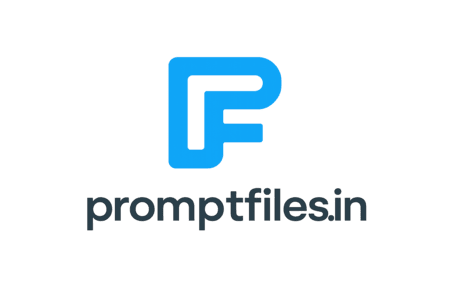
The refined prompt was used with Sora (ChatGPT) to successfully generate a unique logo featuring:
- A distinctive glowing cyan-blue "F" monogram
- Modern, minimalist aesthetic
- Strong scalability (works from favicon to large formats)
- Professional appearance suitable for tech branding
- Clean typography with "promptfiles.in" text
The logo is now in active use across the PromptFiles.in website, demonstrating that the prompt engineering process was not just academically interesting but practically successful.
Comparison: Generic vs. Refined Prompt
| Aspect | Generic Prompt | Refined Prompt |
|---|---|---|
| Direction | Multiple options suggested | Single focused approach (PF monogram) |
| Specificity | "Consider abstract shapes" | "P and F sharing a common stroke" |
| Technical Details | General scalability mention | Exact pixel sizes (16x16, 32x32, 64x64) |
| Style Reference | None | Specific brands (Figma, Notion, Framer) |
| Actionability | Requires interpretation | Ready for immediate use |
| Success Rate | Lower (too many variables) | Higher (clear parameters) |
Why This Approach Works
1. Reduces Ambiguity
The refined prompt eliminated guesswork. Instead of "create something modern," it specified "geometric, professional, slightly futuristic" with specific weight and construction guidelines.
2. Sets Clear Constraints
By defining technical requirements upfront (scalability, color treatments, format variants), the prompt ensured the output would meet real-world needs.
3. Provides Visual Anchors
Referencing successful brands gave the AI concrete examples of the desired aesthetic, leading to more consistent results.
4. Balances Creativity and Practicality
The prompt allowed creative exploration (interlocking letters, negative space) while maintaining practical constraints (printability, scalability).
Conclusion
This logo design journey demonstrates that successful AI-assisted creative work requires more than just asking for "a logo." The final prompt wasn't just a request—it was a comprehensive design brief that could be used by an AI image generator, a human designer, or both. This level of detail and specificity is what transformed a generic request into a successful outcome.
The PromptFiles.in logo now serves as a testament to the power of effective prompt engineering: when you invest time in crafting the right prompt, the results speak for themselves.
Key Takeaways
- Iterative Refinement Works: Start broad to establish requirements, then narrow focus based on feedback
- Specificity Drives Results: Detailed instructions (exact sizes, style references) produce better outcomes than vague suggestions
- Context Matters: Including real-world considerations (merchandising, printing) ensures practical results
- Structure Aids Understanding: Clear sections (Core Concept, Requirements, Guidelines) help AI process information systematically
- Reference Examples Help: Mentioning specific brands gives AI clear visual anchors for style direction